
WebP vs JPEG vs PNG: Which Should You Use?
Google says WebP files come out 25 to 34% smaller than JPEG. We measured three of our own. We got 14 to 20%, and not one of them reached the published figure.
That is not a scandal. It is what an average does when it meets your images instead of the corpus it was calculated on. You already know PNG is lossless and JPEG is not; what you want is the one to export for the picture currently in front of you. So: the decision first, our numbers second, including the case where the published figure turned out to be far too modest.
The short answer
Logos, icons, diagrams, anything geometric
SVGfalls back to PNG
Vector, so it is sharp at every size and usually a fraction of the weight. Only falls down on photographic detail.
Photographs
AVIFfalls back to WebP, then JPEG
Where AVIF's compression is worth the most. JPEG remains the universally safe last resort.
Screenshots, and anything with text in it
WebP losslessfalls back to PNG
Lossy compression makes small text fuzzy. Both of these are lossless, and WebP is meaningfully smaller.
Flat illustration, few colours, hard edges
AVIF or WebP losslessfalls back to PNG
Large areas of one colour compress extremely well. JPEG is the wrong tool here and the measurements below show why.
Anything needing transparency
WebP or AVIFfalls back to PNG
All three do alpha. PNG is not the only option any more, and it is usually the largest.
Animation
Video, or WebPfalls back to GIF
An MP4 or WebM is dramatically smaller than an animated GIF. Reach for GIF only when a real video will not do.
Take the third row if you take nothing else. Lossy compression is the wrong tool for text, and a JPEG of a screenshot is the most common format mistake on the web.
What the three formats actually do
JPEG is lossy only, has no transparency, and is understood by everything ever made. It was designed for photographs and it is still perfectly good at them. Its weakness is hard edges, which is why text and flat graphics go mushy.
PNG is lossless, supports full alpha transparency, and is equally universal. Because it is lossless, it never degrades, and because it is lossless, it is usually the largest file on the page.
WebP does both. Lossy or lossless, with transparency either way. That is the thing most comparisons bury: WebP is not simply a better JPEG, it is a replacement for both JPEG and PNG depending on which mode you pick.
AVIF is not in the title but belongs in the answer. It is newer, compresses harder than all three, and does lossy, lossless and transparency. MDN’s one caveat is worth knowing: “AVIF offers slightly better compression, but is not quite as well-supported in browsers and does not support progressive rendering.”
The numbers everyone quotes
Google publishes two figures, and almost every article repeats them:
- "WebP lossy images are 25-34% smaller than comparable JPEG images at equivalent SSIM quality index."
- "WebP lossless images are 26% smaller in size compared to PNGs."
Both come from Google, about a format Google created, measured on a corpus Google chose. That does not make them wrong. It does mean they are an average across a particular set of images rather than a promise about yours.
What we measured on our own images
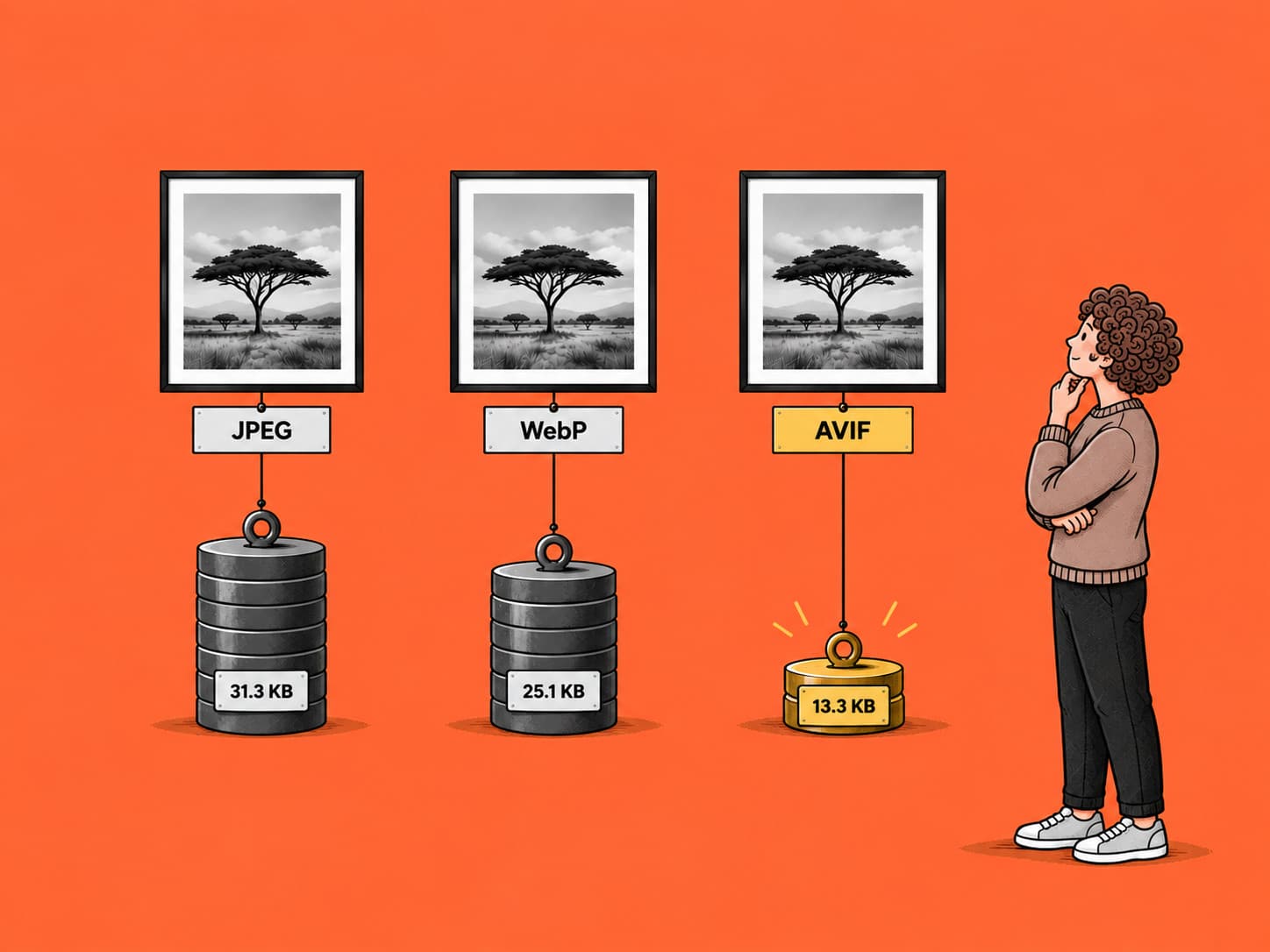
The illustrations at the top of these articles come from one source file each, converted on request into whatever format your browser asks for, at one quality setting. Same image, same encoder, same width, three formats. A clean test, and an accidental one: these are just the banners this section happens to use.
Each at 828 pixels wide, which is what a standard desktop gets:
| Image | JPEG | WebP | AVIF |
|---|---|---|---|
| Desk of unnamed files | 31.3 KB | 25.1 KB | 13.3 KB |
| Conveyor of named files | 44.6 KB | 37.4 KB | 19.2 KB |
| Writing a label | 73.5 KB | 63.1 KB | 30.5 KB |
| Saving against JPEG | baseline | 14 to 20% | 57 to 58% |
14 to 20%, against a claim of 25 to 34%. Three images, three misses.
AVIF, meanwhile, was 57 to 58% smaller than JPEG. If you only change one thing after reading this, it is not JPEG to WebP. It is turning on AVIF.
And on flat artwork with text
The share card for these articles is the opposite kind of image: dark ground, white type, no photographic detail. Same file, four ways:
| PNG, lossless | 39.3 KB | baseline |
|---|---|---|
| WebP, lossless | 20.5 KB | 48% smaller, still lossless |
| WebP, lossy | 14.8 KB | 62% smaller |
| JPEG | 32.3 KB | 18% smaller, and lossy |
Look at the last row. JPEG threw away image quality and got 18% for it, while lossless WebP kept every pixel and got 48%. That is the argument against JPEG for text in one line, and it is why the decision table sends screenshots to WebP lossless.
Note this one went the other way from the first table. Google claims 26% against PNG; we measured 48%. So the published figures were pessimistic here and optimistic there.
If you want to check that on your own file rather than take ours, the WebP converter does one image at a time, free and in your browser, and shows you both sizes. It is the five minute version of the paragraph below.
The honest conclusion is not a percentage. It is that these numbers depend on what your images look like, and flat illustration behaves nothing like a photograph. Ours are one encoder at one quality on one kind of artwork. Export your own three ways and compare. It takes five minutes and it beats trusting anyone’s average, including ours.
Browser support today
Can I Use, this month:
- WebP: 96.82% of global usage. Chrome 32, Edge 18, Firefox 65, Opera 19, Safari 16 and iOS Safari 14 onwards
- AVIF: 95.36%. Chrome 85, Firefox 93, Safari 16.4 and iOS Safari 16 onwards, Edge only from 121
The gap between them is about a percentage and a half, and both are past the point where they need defending. Internet Explorer supports neither, which no longer matters. Opera Mini supports AVIF in no version, which is worth knowing if your audience is heavily on low-bandwidth mobile.
Support tables rot faster than anything else in an article like this, so treat those as September 2026 and go and look at the live number. MDN still describes lossless WebP as not widely supported. That was true once. At 96.82% it is not. Even the good sources go stale here, which is the argument for checking rather than quoting.
Where format choice does not help
Switching format is not a ranking signal. Google supports BMP, GIF, JPEG, PNG, WebP, SVG and AVIF for images on a page and expresses no preference between them. What it cares about, as we went through in what actually affects your Google rankings, is that pages are fast, and images are usually the heaviest thing on them.
The benefit is real but indirect. A smaller file makes a faster page, and speed is measurable. Nobody ever ranked because their images ended in .webp.
One practical note that catches people out: changing an image's format changes its URL, which is a redirect and a reference update on every page using it. That is the same trap as renaming, and we covered how to think about it in batch renaming images for SEO. Get it right on the way in and the question does not arise.
What to do about it
You do not have to pick one format and commit. The web has a mechanism for serving whichever one the visitor's browser supports, and MDN recommends it for exactly this:
- Use
<picture>with several<source>elements, best format first, and a plain<img>as the last resort. The browser takes the first one it understands - Or let your host do it. Most modern platforms will convert and resize on request from a single upload, which is how the measurements above were produced
Either way the rule is the same. Keep one good original and generate the delivery formats from it. Never convert your master to WebP and delete the source: every re-encode after that compounds the loss, and you cannot get it back.
Resiqo does the resize and convert step for a whole folder at once, in your browser, so the originals never leave your machine. But you can settle this with an export dialogue and five minutes of comparing sizes. The format matters less than having a habit.
Questions people ask
Should I convert my existing images to WebP?
Convert from now on, automatically, and leave the back catalogue alone. Doing the old ones by hand means a URL change and a redirect per image, for the 14 to 20% we measured. That is a lot of housekeeping for a fifth of a file.
Is PNG obsolete?
No, but it is now the fallback rather than the answer. Anything PNG does, lossless WebP and AVIF do smaller. Keep PNG for compatibility and for masters you will re-encode later.
Does WebP lose quality?
Only in lossy mode, which is the default in most export dialogues. Lossless WebP exists and is what you want for screenshots and flat graphics. If your tool only offers a quality slider, it is giving you lossy.
What about JPEG XL?
Genuinely promising and not yet supportable. Browser support is nowhere near the figures above, so it is not a choice you can make for a public site this year.
Sources: Google, WebP compression techniques, for the 25 to 34% and 26% figures; MDN Web Docs, Image file type and format guide, for the format guidance and the AVIF caveat; Can I Use, WebP and AVIF support tables, read September 2026. The file sizes in both tables were measured on this site's own images and can be reproduced by requesting the same URLs with different Accept headers.